


Built for merchants who need workflow instead of scattered scripts
The plugin organizes Skroutz operations inside OpenCart
The goal is not only importing orders. Skroutz Smart Cart builds a repeatable workflow for acceptance, updates, and fulfillment from the admin.
If your team handles merchants.skroutz.gr alongside OpenCart every day, the plugin reduces double handling and moves critical actions into the same workspace.
The workflow is built on top of the Skroutz Smart Cart API .
One order list with context
You see filters, custom product fields, and the details operators need without switching screens.
Acceptance with rules
From default values to bulk actions, the plugin reduces clicks during the acceptance and review stages.
Orders ready for fulfillment
Exports, shipping vouchers, and shipment codes stay attached to the OpenCart order flow.
Order workflow
From order intake to OpenCart order creation
The experience is structured as a functional flow for your team: first you see what arrived, then you apply rules, and finally you route fulfillment.
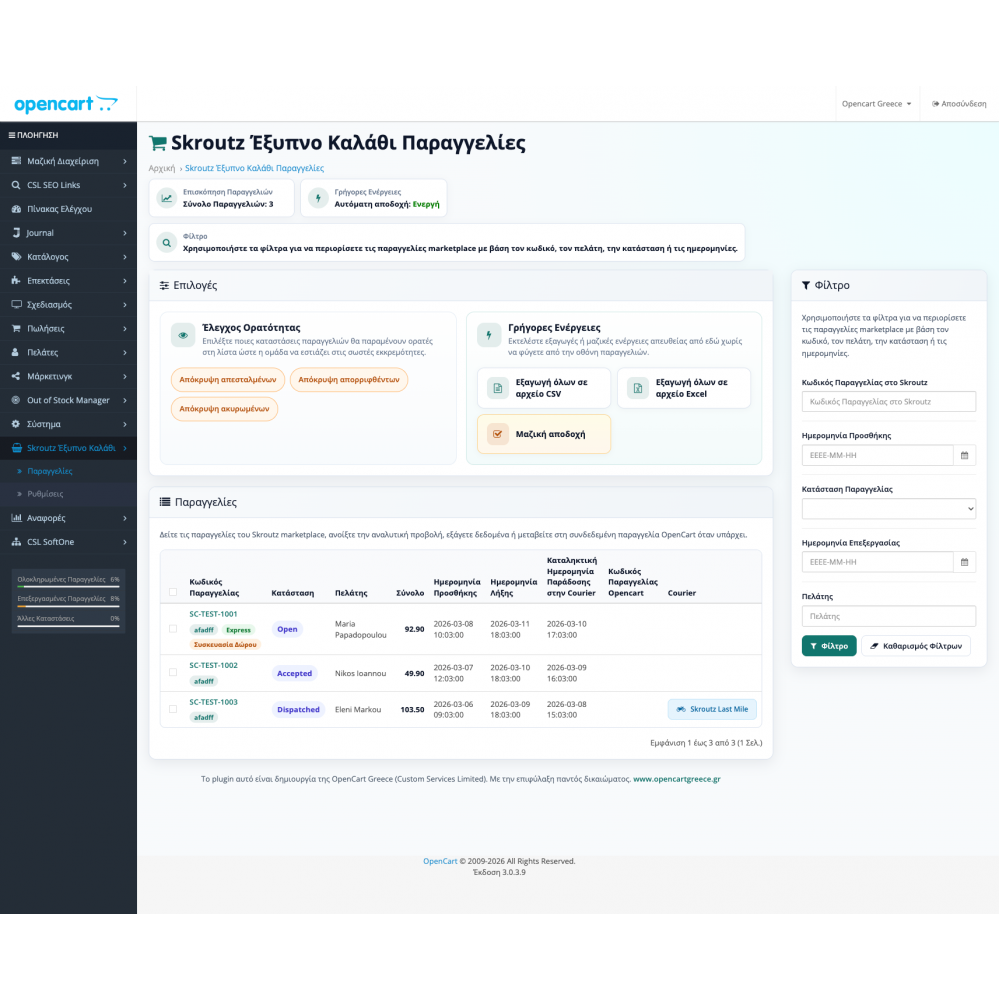
See immediately what arrived from Skroutz
The order list brings together filters, order context, and product details so the daily queue can be processed quickly.
Configure acceptance and automation
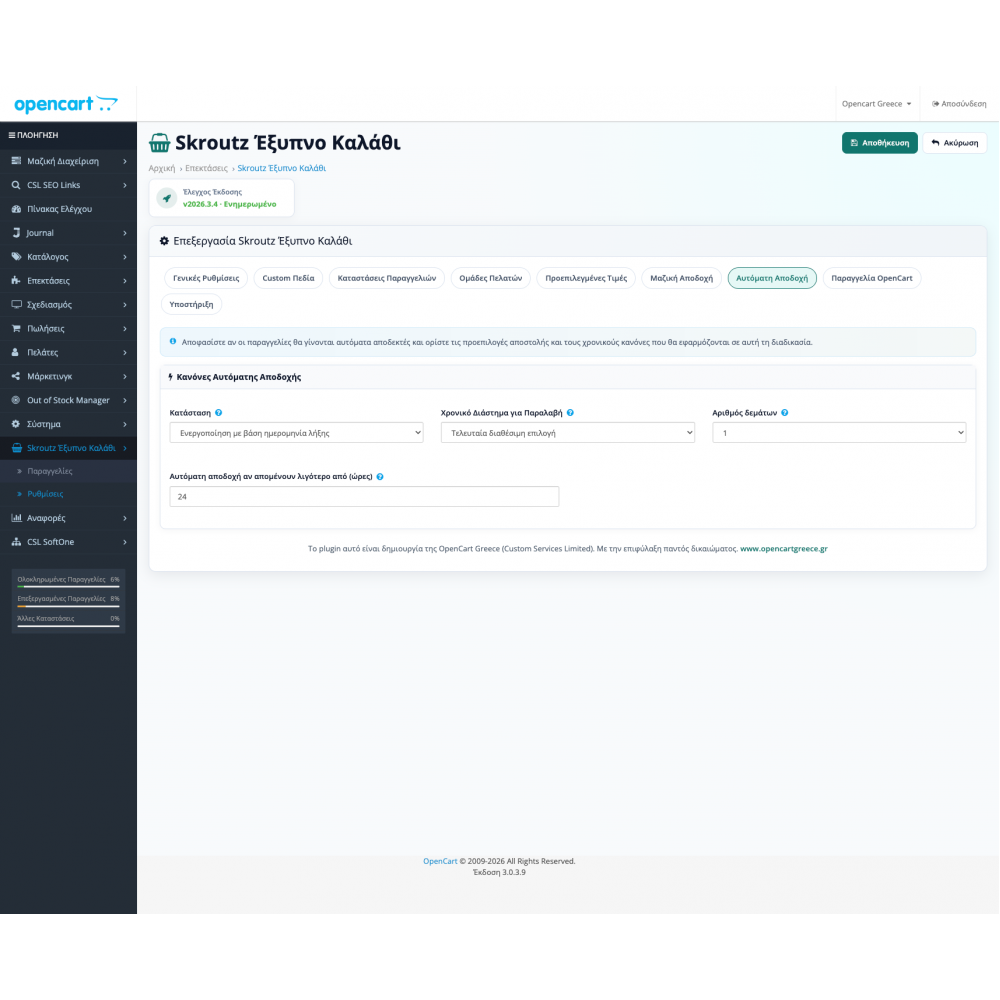
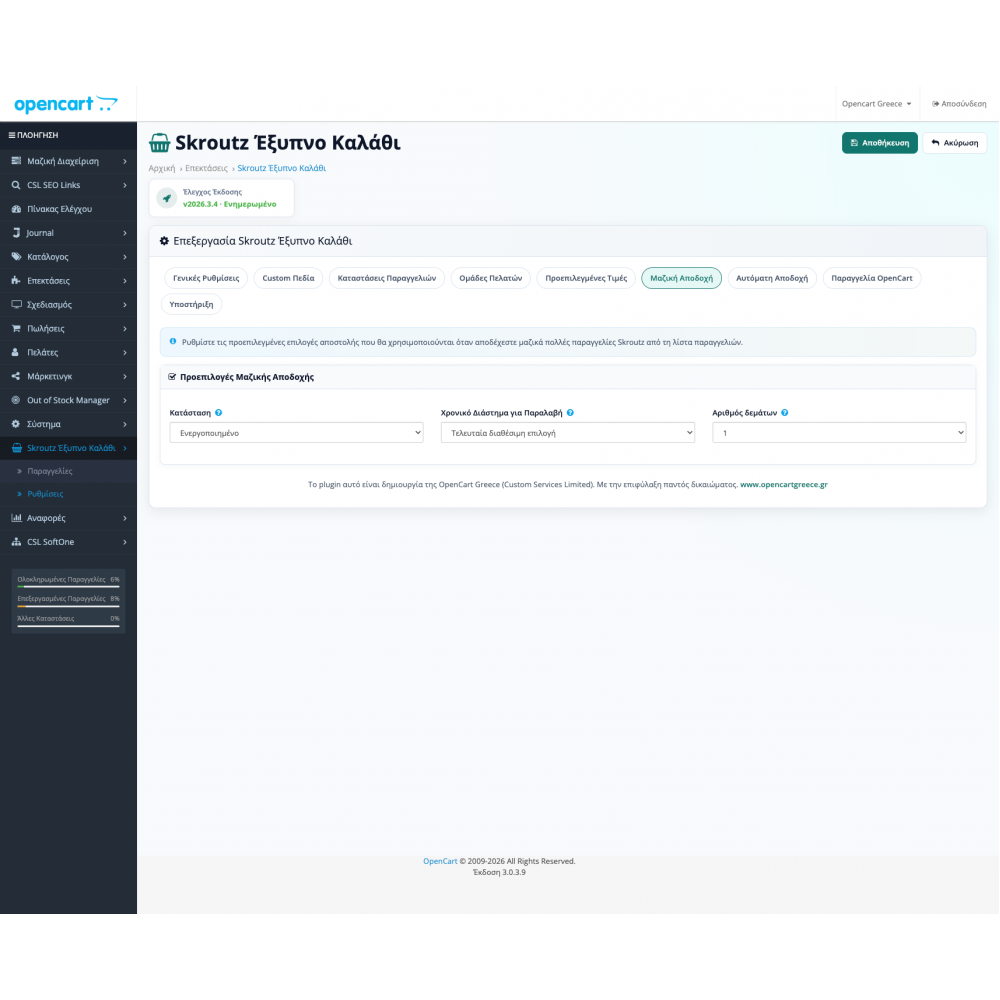
Set acceptance options, default behaviors, and rules so the flow runs with fewer exceptions.
Move the order into the fulfillment flow
OpenCart order creation keeps the details needed for shipping, invoicing, and the rest of the order lifecycle.
Capabilities by stage
What the plugin covers in practice
The capabilities are not presented as one generic feature wall. They are grouped around the stages that matter most for stores with daily Skroutz order volume.
Order intake and visibility
For the moment new orders need to enter OpenCart correctly and be read quickly by the admin team.
- Automatically fetch and create Skroutz Marketplace orders in your OpenCart store.
- Filter Skroutz Marketplace orders inside OpenCart with one click.
- Add custom product fields and display them in the Skroutz order list inside OpenCart.
- Automatically update OpenCart order status with every change from Skroutz Marketplace.
- Select product mapping with product id, model, mpn or custom fields.
Acceptance and business rules
For acceptance flows that require reasons, defaults, bulk actions, and less manual friction.
- Handle order acceptance, rejection, and rejection reasons directly from OpenCart.
- Bulk acceptance of multiple Skroutz orders directly from the order list.
- Automate Skroutz order acceptance using predefined values and business rules.
- Automatically accept simple and express Skroutz Smart Cart orders.
- Full support for Skroutz Smart Cart express orders.
Documents, shipping, and exports
For the next stage of the order when shipping codes, exports, and reporting data come into play.
- Support receipt, invoice, and VAT-exempt invoice orders according to Skroutz Marketplace requirements.
- Automatically assign OpenCart customer groups based on the document type returned by Skroutz.
- Export Skroutz Marketplace orders to CSV and Excel with correct encoding (UTF-8 BOM / UTF-16LE) that opens cleanly, plus download of all shipping vouchers.
- Attach the Skroutz shipping code directly to the OpenCart order.
- Store Skroutz commission values for reports and custom OpenCart reporting.
Stock and partial deliveries
For stock handling when Skroutz orders change state or are completed partially.
- Three-mode stock control: choose when stock is subtracted (off, on acceptance, or on order creation), with atomic subtraction that prevents double counting.
- Stock revert support for rejected orders and order lines so quantities stay correct.
Compatibility and support
Ready for Greek OpenCart stores with daily marketplace volume
Skroutz Smart Cart is built for real Greek e-shops that need a clean order workflow and fast adaptation to marketplace requirements.
- Full compatibility with all supported OpenCart versions.
- Coverage for receipts, invoices, and VAT-exempt invoices.
- Support for simple and express orders inside the same workflow.
- Flexible product mapping with product_id, model, mpn, or custom fields.
Support shaped for production stores
The purchase starts from the base license and can be combined with installation or support options inside the store depending on how your team works.
- Base installation is straightforward and includes guidance for faster onboarding.
- Plugin updates are delivered through your OpenCart Greece account.
Skroutz operations
When an OpenCart store needs a Skroutz Smart Cart plugin
The Skroutz Smart Cart plugin helps when marketplace orders should not stay separate from daily OpenCart operations. The team can review orders, acceptance, rejection, exports, and status updates in one workflow.
Before going live, we check product mapping, simple and express orders, documents, order statuses, and exports so the workflow matches the real warehouse process.
Marketplace intake
Receive and create Skroutz orders inside the OpenCart admin.
Acceptance rules
Manual, bulk, or automated acceptance according to workflow and availability.
Fulfillment
Exports, shipping code, documents, and status changes for daily dispatch.
FAQ
What stores usually ask before buying
Three quick answers to the most common questions about installation, compatibility, and updates.
Is it difficult to install Skroutz Smart Cart plugin on OpenCart?
No, installation is simple and we provide a step-by-step guide and immediate support.
Are all OpenCart and Skroutz Marketplace API supported?
Yes, the plugin is fully compatible with all OpenCart versions and Skroutz Smart Cart API.
What about plugin upgrades Skroutz Smart Cart?
All upgrades are available immediately in your OpenCart Greece account.
How does stock subtraction work for Skroutz orders?
You choose one of three modes: off, subtract on acceptance, or subtract on order creation. Subtraction is atomic and is reverted if the order or line is rejected.
Is there a separate status for partial deliveries?
Yes. You set an order status for partial deliveries so the OpenCart flow is updated correctly when orders arrive partially.
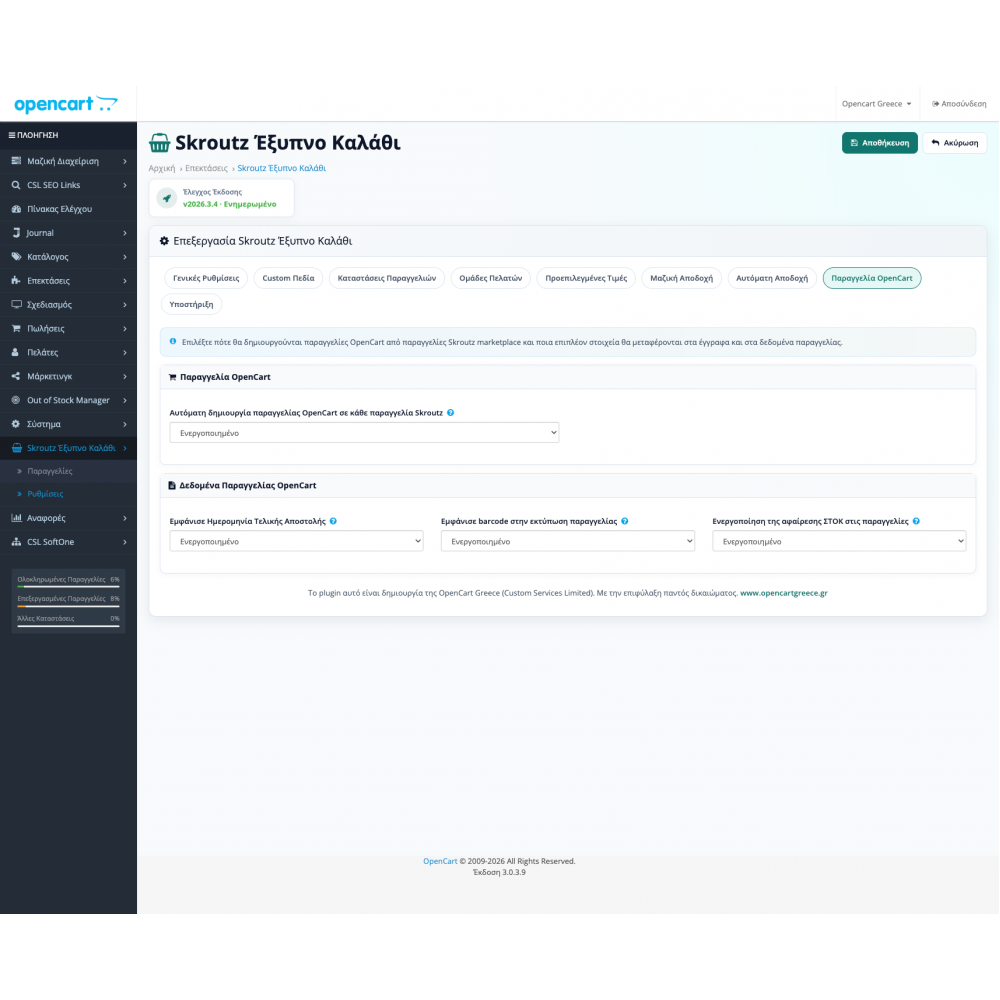
Admin screenshots
Five real screens from Skroutz Smart Cart
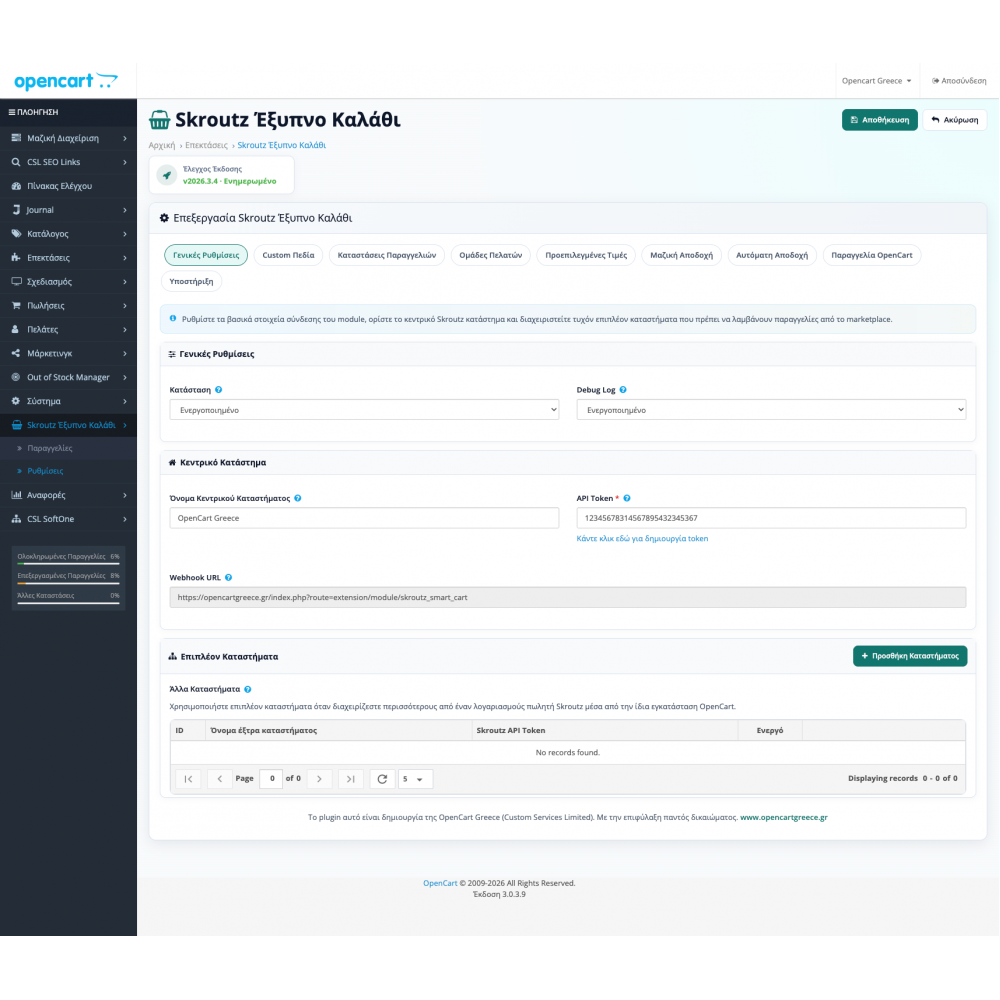
Instead of generic claims, review the exact surfaces where the API is configured, acceptance is organized, and the OpenCart order is created.
Ready to fit into your store workflow
Get Skroutz Smart Cart and move marketplace workload into the OpenCart admin
Buy the base license from the store or contact us if you need installation, a support option, or special configuration.