3 days
free trial to validate the workflow



Connector for OpenCart 3.x
Keep OpenCart as the control center while the connector handles vendor-aware setup, custom pricing, category mapping, and order flows that can be maintained in real production conditions.
3 days
free trial to validate the workflow
€199
full version after the trial
OpenCart 3.x
supported store versions
Operating model
The connector is built for teams that want to manage catalog, categories, pricing, and order-related flows from one familiar OpenCart admin instead of splitting critical work across two systems.
That leads to a cleaner setup, less manual maintenance, and better operational visibility whenever you need to rerun a sync, inspect vendor-specific rules, or diagnose a production issue.
Credentials and vendor-specific settings are managed inside OpenCart admin so communication with efood stays controlled.
Each store or vendor context can keep separate configuration without breaking the daily admin workflow.
The connector organizes product pushes in batches with clearer scope and more practical reruns when changes need to be repeated.
Preview the final synchronized result before publishing changes so margin and vendor-policy mistakes are caught earlier.
Webhook flows, polling fallback, queue processing, and status updates are handled from the same operational layer.
Practical rollout
This is not a thin demo connector. It is a structure for getting a real store live and keeping the integration understandable once production traffic starts flowing.
01
Define credentials and separate store or vendor settings so the integration starts with the correct ownership boundaries.
02
Category mapping is built on live efood API data and can be limited to specific scope rules or subcategories.
03
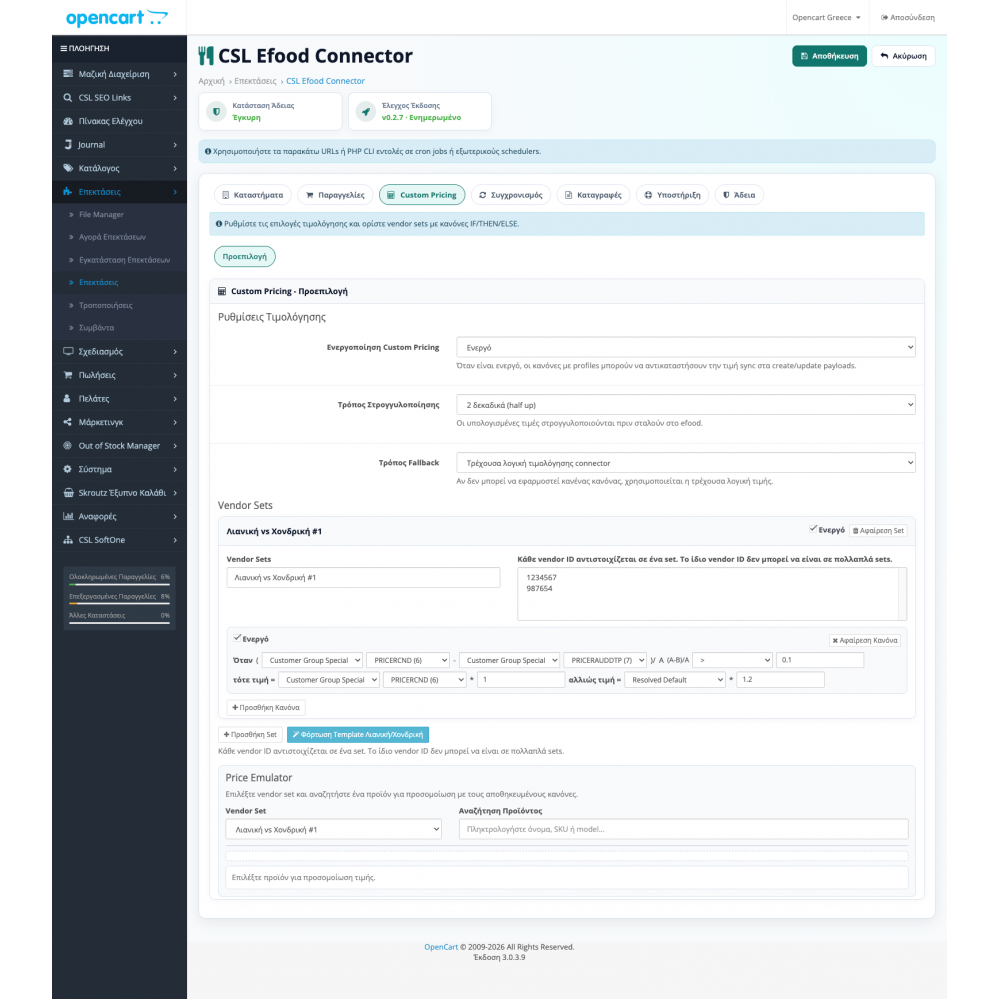
The pricing emulator helps you test vendor-specific rules before any change is pushed to efood.
04
With webhooks, polling fallback, CLI routes, and admin tooling, issues can be inspected faster when a flow needs attention.
Catalog & categories
The difficult part of this kind of connector is not merely sending products. It is controlling exactly what leaves OpenCart, which categories it maps to, and how safely the process can be repeated whenever the catalog changes.
Pricing control
Marketplace and delivery channels rarely follow the exact pricing model of the main e-shop. The connector leaves room for vendor-specific rules without forcing manual workarounds.
Orders & diagnostics
The order layer is structured so everyday operations, troubleshooting, and later custom extensions remain manageable as the integration becomes more demanding.
Inside the admin
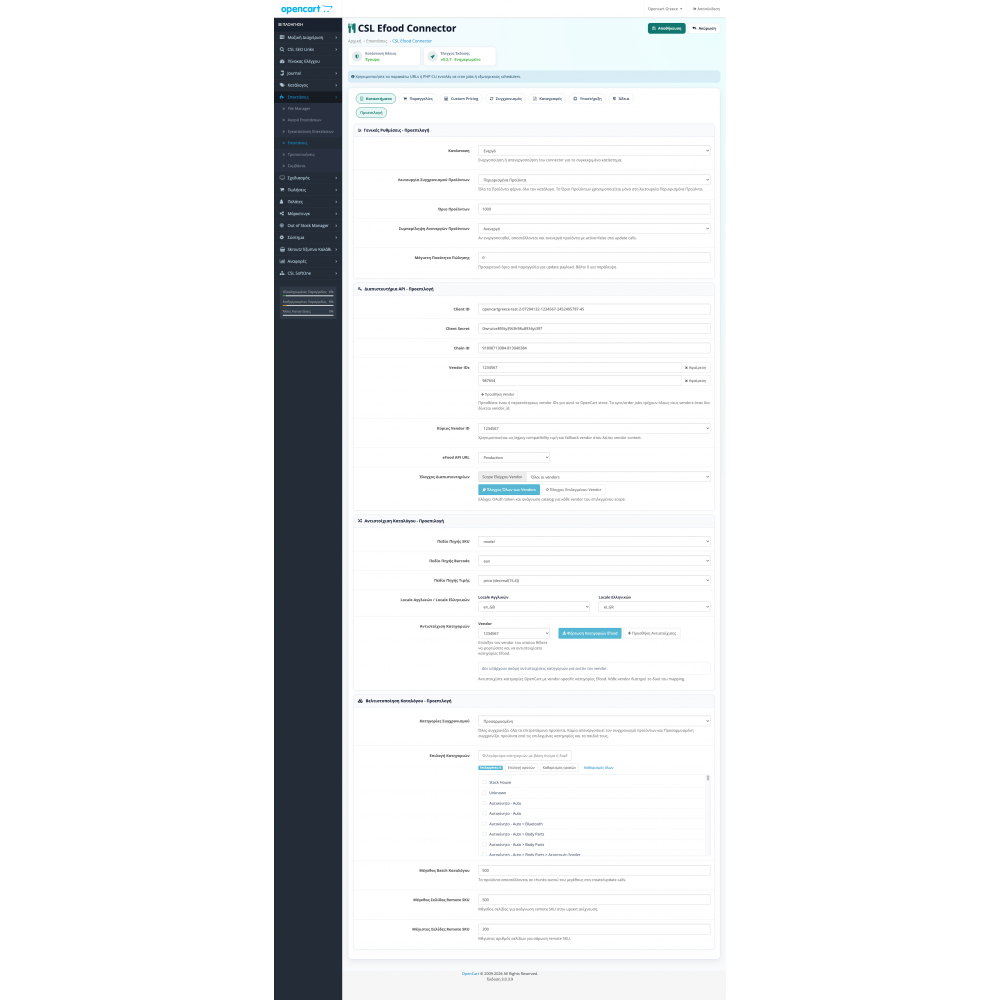
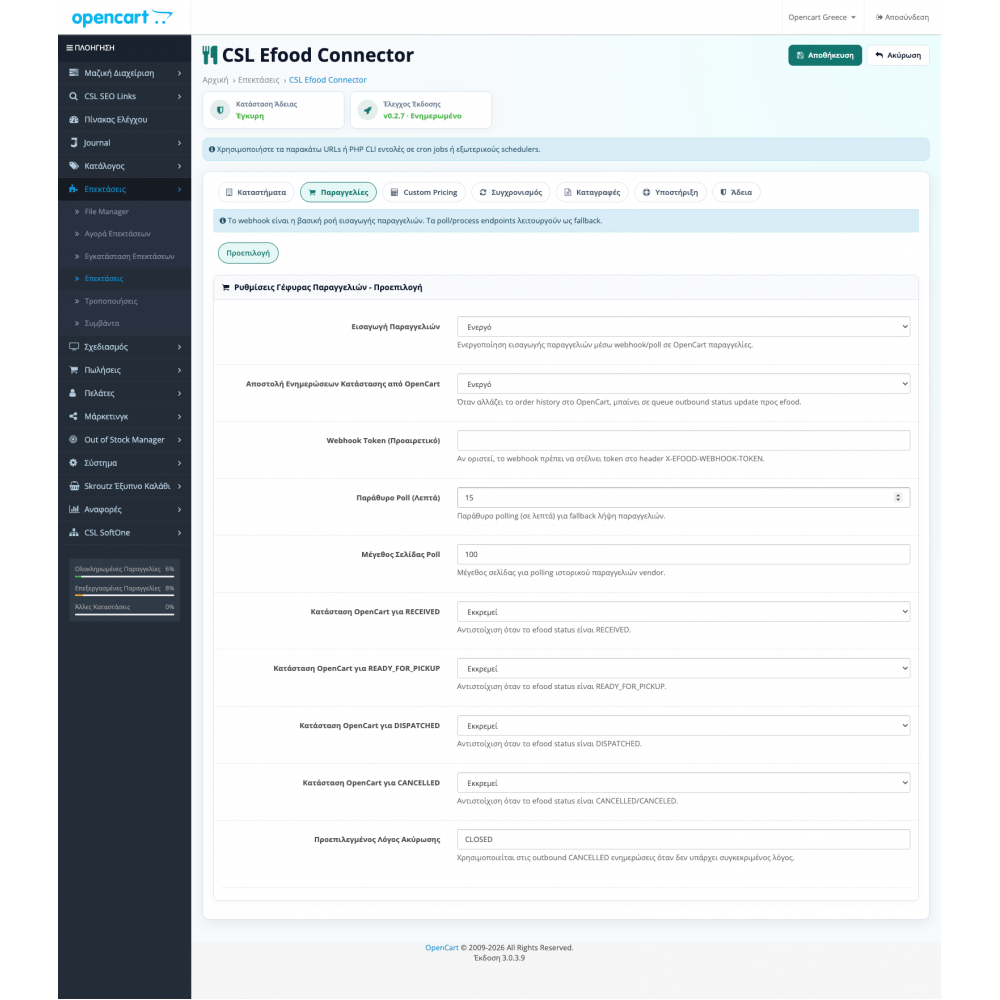
Use the screenshots to inspect the setup structure, pricing controls, and diagnostics before you start the trial.
Main connection settings and the core connector setup.
Open full screenshot Vendor-aware order flow, status mapping, and related order settings.
Open full screenshot Custom pricing rules and preview of the final synchronized price.
Open full screenshot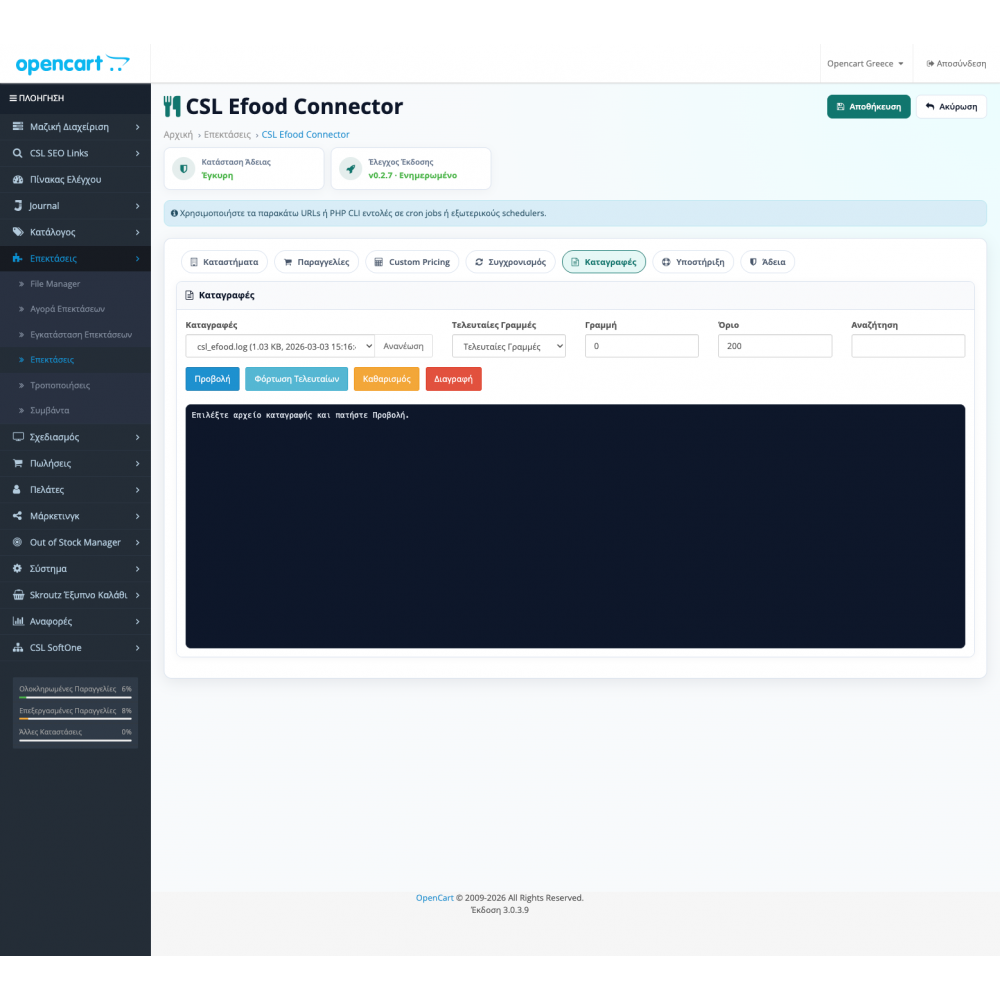
Diagnostic tooling and category synchronization diagnostics.
Open full screenshot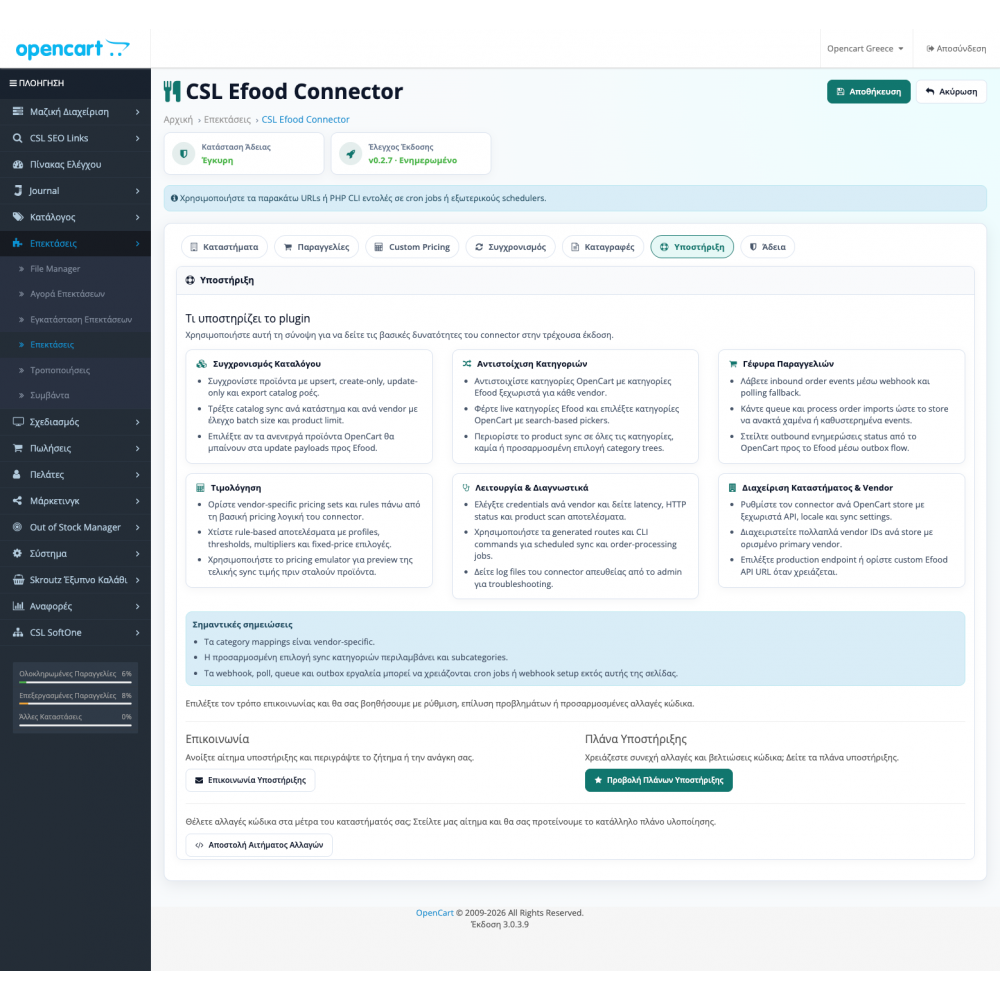
Embedded guidance for webhooks, routes, and order-related flows.
Open full screenshotFAQ
The plugin connects OpenCart to efood.gr and covers catalog sync, category mapping, custom pricing, vendor-aware configuration, and order-related automation from OpenCart admin.
Yes. The product page in the e-shop offers a free 3-day trial so you can validate the connector in your own environment before moving to the full version.
The full plugin license costs €199. The trial exists so you can validate the integration with real data before you commit.
Yes. The plugin includes vendor-aware logic and can support multiple vendor IDs, which is especially useful in more complex setups or multi-store installations.
The connector can fetch live categories from the efood API, support search-based selection, and manage custom synchronization scope with subcategory support.
Yes. The pricing emulator lets you inspect the final synchronized price before data is sent, which is particularly useful when pricing rules vary per vendor.
Yes. The plugin supports order flows through webhooks, polling fallback where needed, queue processing, and status updates from OpenCart back to efood.
Yes. If you need extra flows, specialized pricing logic, or custom order automation, we can extend the base implementation with tailored development on top of the existing plugin.
Trial & rollout
The plugin is built for OpenCart 3.x and can be extended when the base setup needs more advanced order flows, pricing logic, or custom automation.
Talk to our teamStart with the free 3-day trial and move to the €199 full version only after you confirm that catalog, pricing, and order flows cover your store.
Go to the free trialFor installation help, custom logic, or pre-purchase questions contact us.
efood.gr OpenCart Connector
Test the plugin inside your own OpenCart environment first and move to a full rollout only after you confirm that mapping, pricing, and order flows behave the way your store needs.