


Automatically Create Voucher: Quick create voucher for your orders with one click.
ELTA Courier for OpenCart – Mission Automation
Connect your OpenCart e-shop with ELTA Courier for automatic creation of voucher, shipment monitoring and improved customer service throughout Greece.
- Automatically Create Voucher: Quick create voucher for your orders with one click.
- Print Tags: Easily print shipping tags directly from OpenCart.
- Mission Monitoring: Automatic customer update with tracking links and tracking the package path.
Introduction to Plugin ELTA Courier
The ELTA Courier plugin for OpenCart Simplifies shipping procedures across Greece, linking your online store directly to the ELTA system. Automatically create send voucher, monitor the development of orders and inform your customers, all through the OpenCart management environment. Improve efficiency and reduce your shipment management time.
By choosing our plugins, you invest in a long-term, economical and flexible solution to automate your shipments, maintaining full control and ownership of your data.
Key Characteristics Plugin ELTA Courier
Print Tags: Easily print shipping tags directly from OpenCart.
Mission Monitoring: Automatic customer update with tracking links and tracking the package path.
Automatic Status Update: Order statements shall be automatically updated on the basis of the shipment course.
Mass Edit: Create multiple vouchers simultaneously for quick processing.
Flexible Settings: Adjust plugin functions to your needs.
OpenCart Greece Support: Direct support from our specialized team.
Benefits of using Plugin ELTA Courier
Time Saving: Reduce significantly the time you devote to shipment management.
Decrease Errors: Minimize errors when entering upload data.
Increased Profitability: Release resources for other important tasks.
Best Customer Service: Provide immediate and accurate information on the shipments.
Simplification of Procedures: Unify shipment management on a platform.
OpenCart Compatibility
The ELTA Courier plugin is designed to be compatible with OpenCart 2.3.x and 3.x, with D QuickCheckout support. For older versions or special requirements, please
Get the Plugin ELTA Courier for OpenCart
Optimize your shipments with ELTA Courier immediately! Buy the plugin from our e-shop.
For any question about the plugin ELTA Courier, do not hesitate to contact
Screenshots of the ELTA Courier Plugin
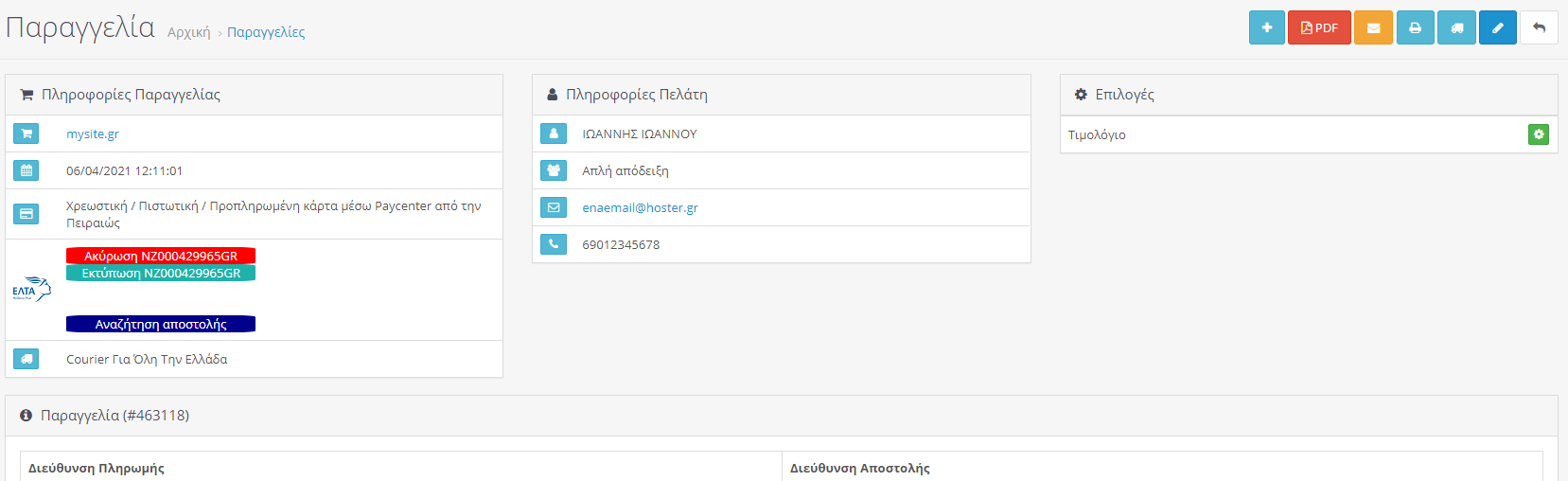
Figure 1: Creation of Voucher ELTA
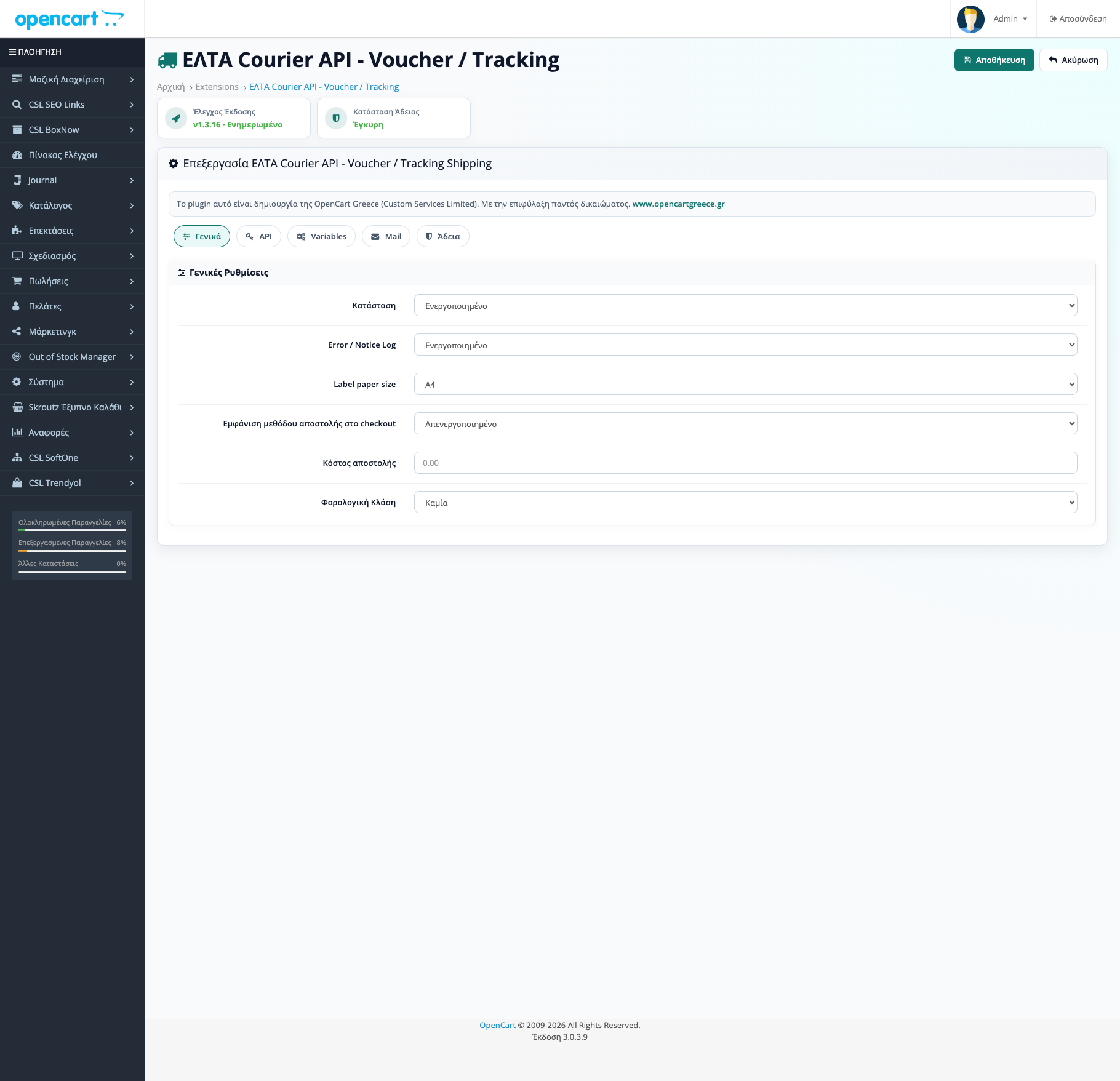
General settings for the ELTA Courier plugin.
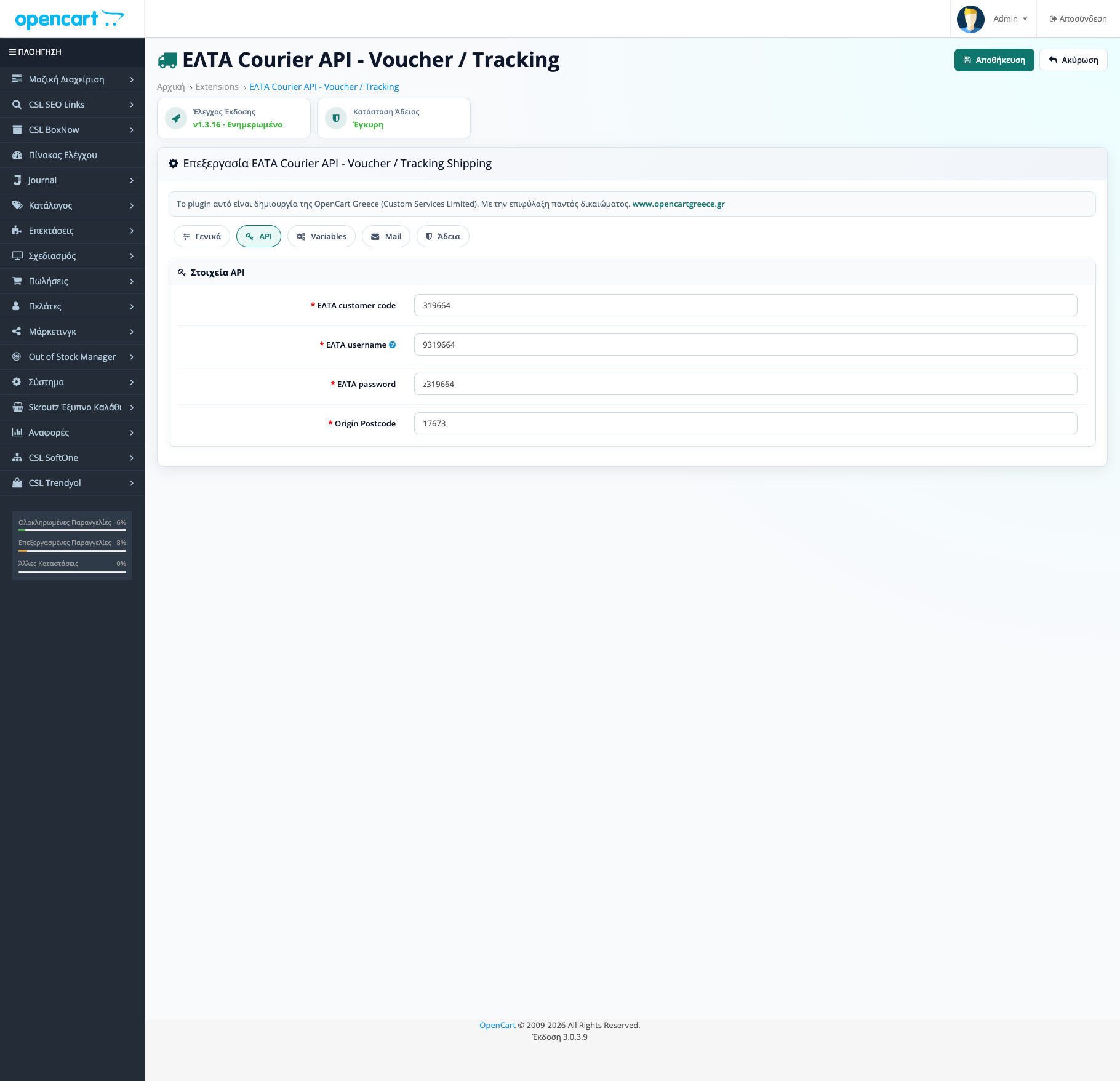
ELTA API credentials: customer code, username, password, and Origin Position.
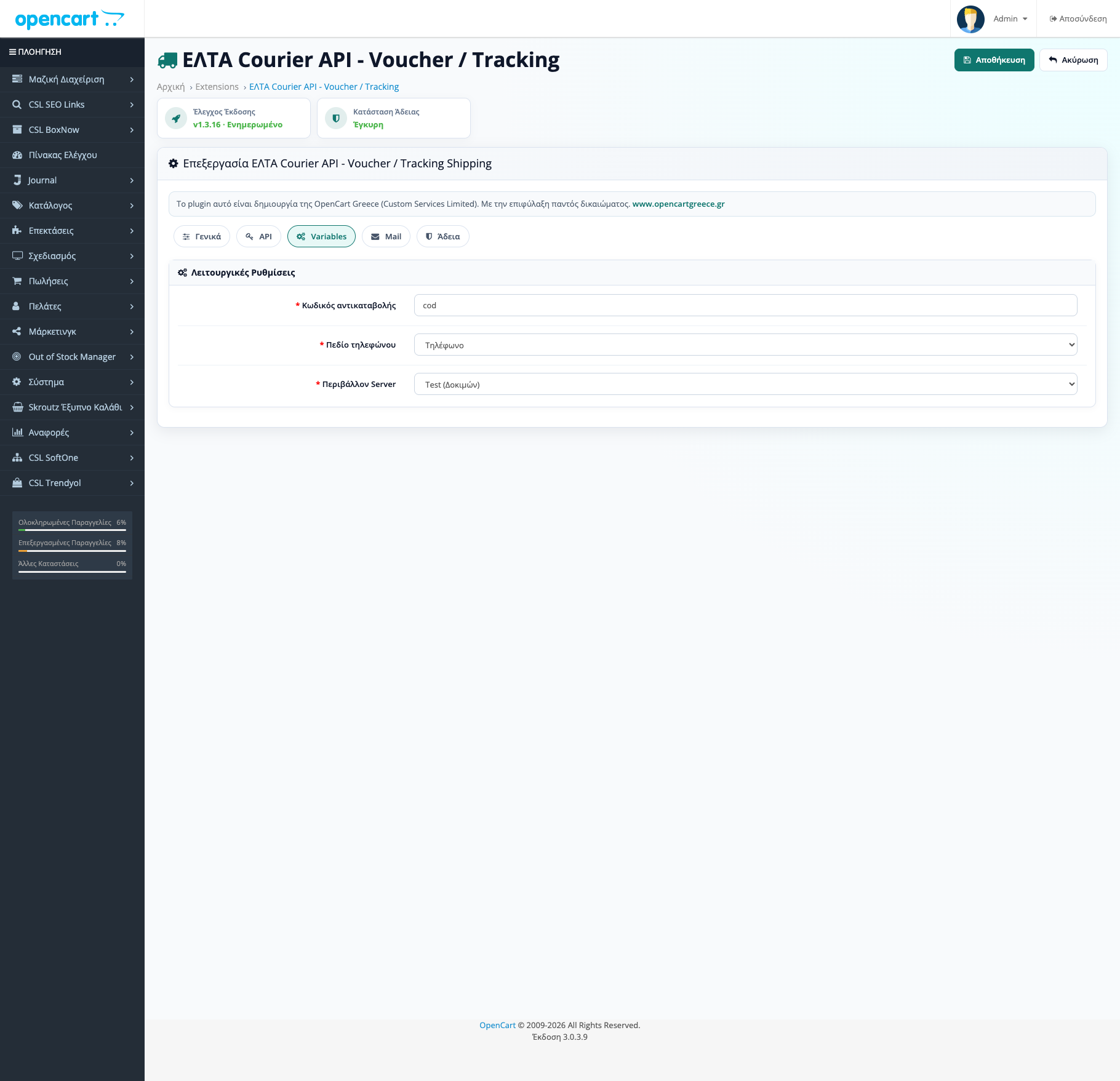
Variables tab: cash-on-delivery code and customer fields (telephone, VAT number, website, mobile).
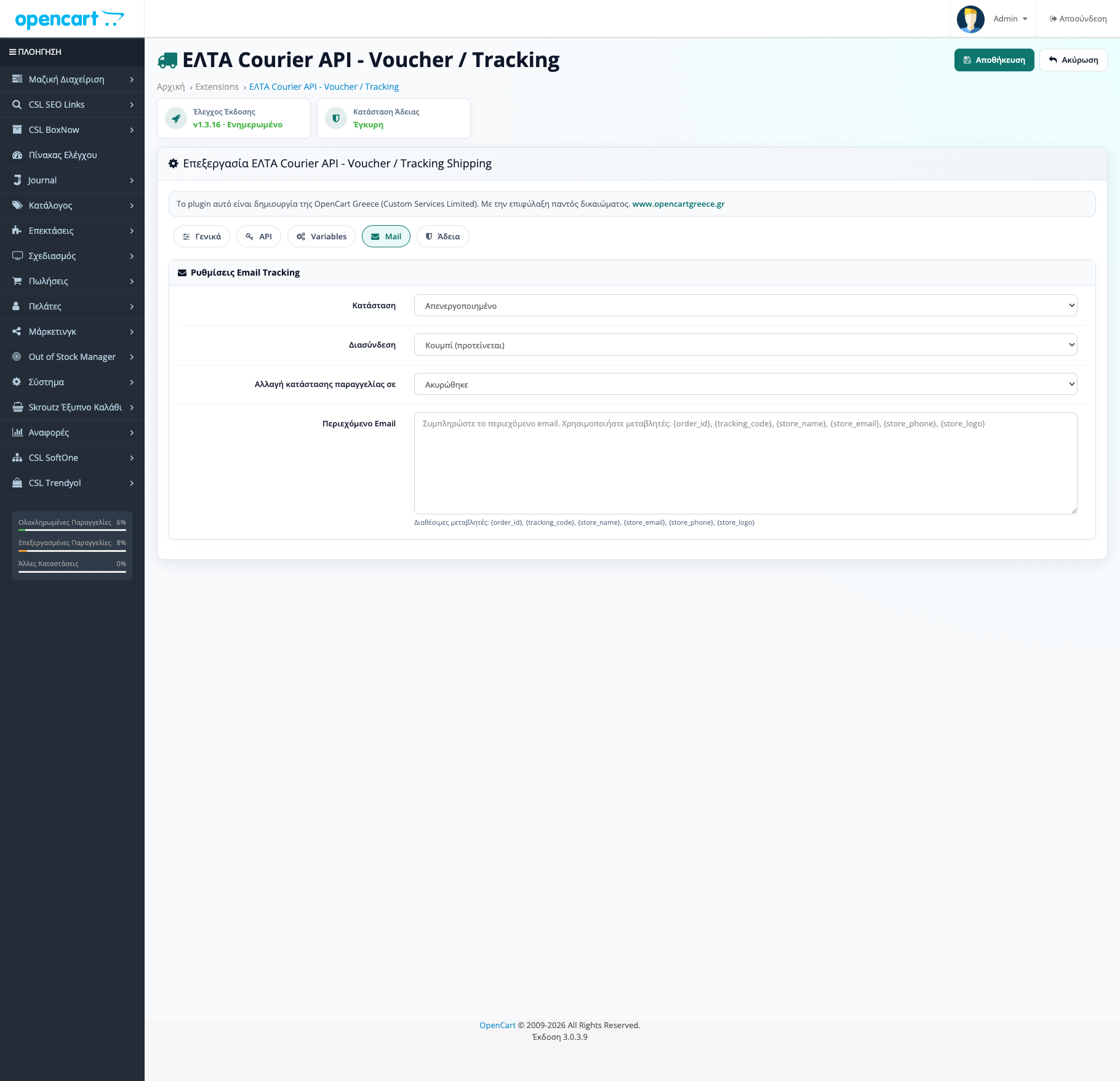
Tracking email settings: status and notification layout.
Frequently Asked Questions about Plugin ELTA Courier
How are sending vouchers created with the ELTA?
Vouchers are automatically created through OpenCart, drawing the data from each order and transferring to the ELTA system.
How do we monitor the ELTA shipments?
The plugin receives the tracking number from the ELTA and updates the order, allowing customer information.
Is it compatible with the latest OpenCart version?
The plugin is compatible with OpenCart 2.3.x, 3.x. For other publications, contact us.
What support is provided for the ELTA Courier plugin?
We provide full technical support for installing, customizing and using the plugin.
How do I set the label paper size?
The Label paper size setting selects the format that matches your printer so the voucher and label print correctly. Recheck it after changing printers, before any bulk printing.
What is the Origin Postcode?
It is the postcode of the warehouse or sender used as the shipment origin. Enter it correctly so charges and labels refer to the right area.
How is cash on delivery mapped on the ELTA voucher?
The Cash On Delivery code field sets the COD service code sent to the ELTA API. You can use the OpenCart default or your own code, depending on your agreement.
Which orders show the voucher buttons?
Order page buttons controls whether ELTA buttons appear on every order or only on orders that used the ELTA method. All orders covers orders placed before the method was configured.
Can I change the server environment or custom URL?
Yes. Server Environment selects the ELTA API environment, and Custom Server URL allows a custom endpoint when ELTA instructs it. Keep the defaults unless you have specific guidance.
How do I choose the phone field, and what does the Debug Log show?
Telephone field selects which customer field is sent as the voucher phone. Debug Log records requests and responses for checks; enable it temporarily and turn it off afterwards.
Ready to integrate ELTA Courier into your OpenCart?
Install the ELTA Courier plugin and automate the creation of voucher and monitor your shipments across Greece easily and quickly.