


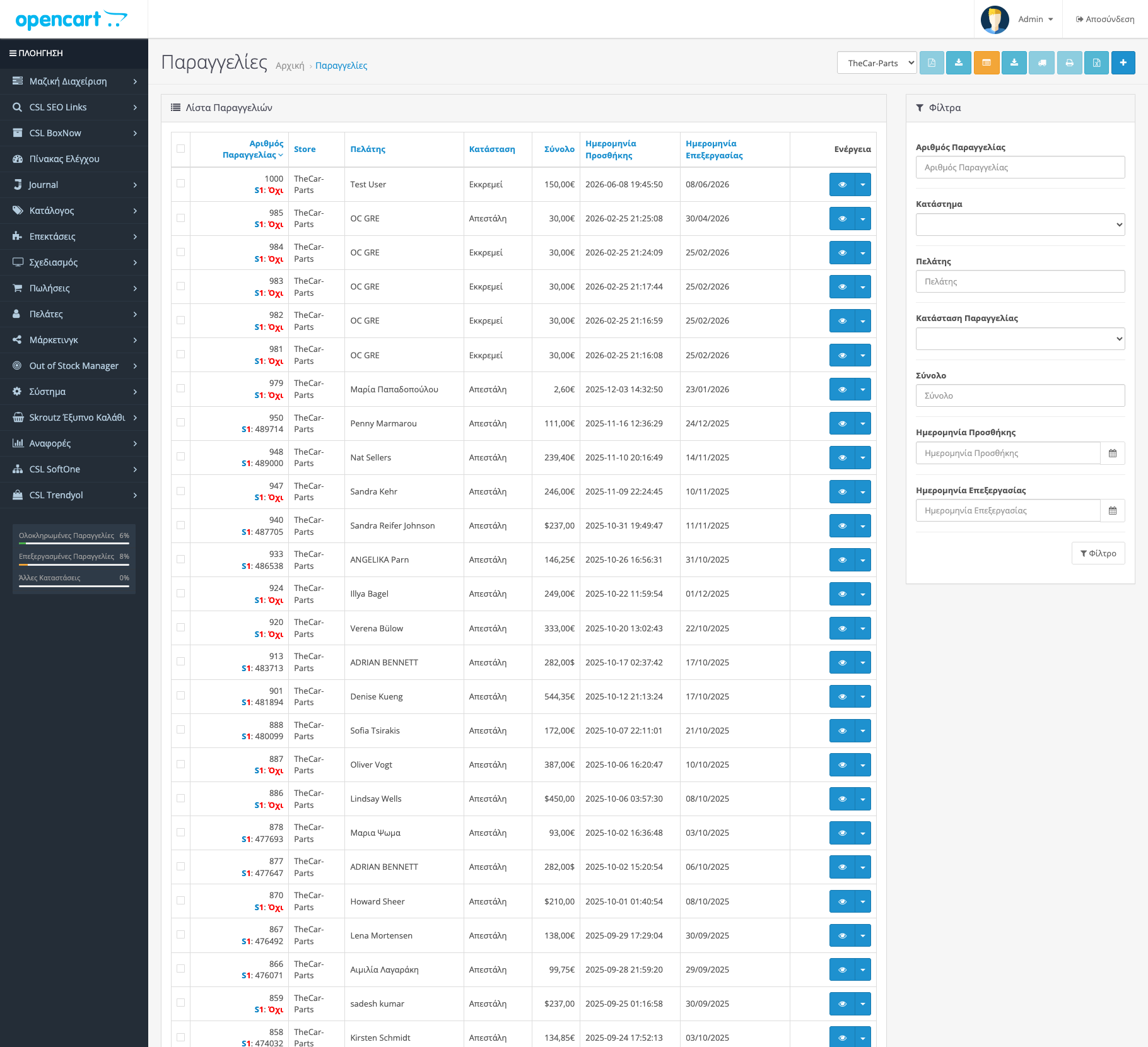
Automatically Create Voucher: Quick create voucher for your orders with one click.
Speedex OpenCart Plugin: Voucher & Tracking
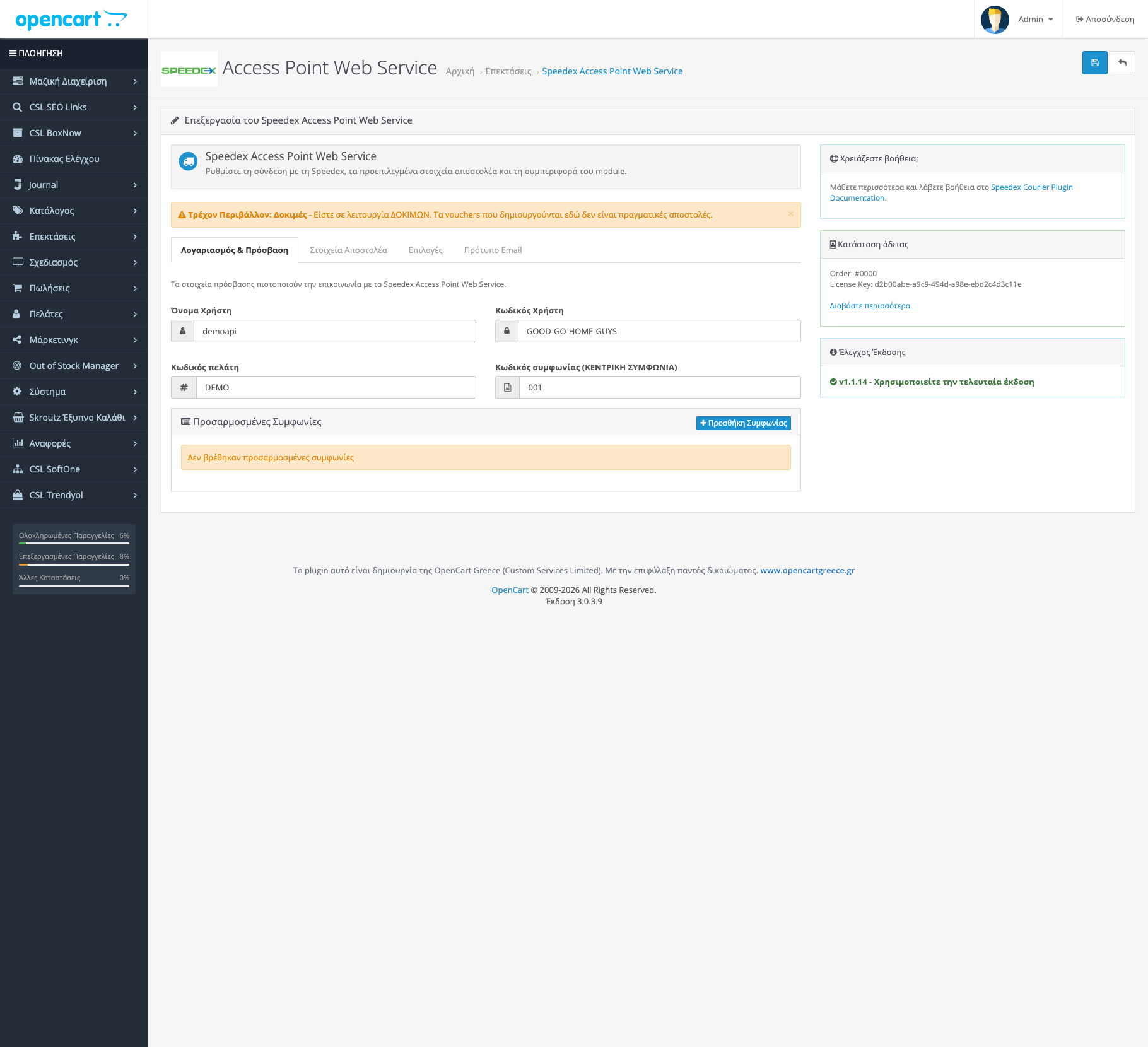
Connect your OpenCart e-shop with Speedex Access Point Web Service for automatic creation of voucher, tracking shipments and managing pick-up points in Greece.
- Automatically Create Voucher: Quick create voucher for your orders with one click.
- Receipt Points Management: Full integration with Speedex Access Points network.
- Print Tags: Easily print shipping tags directly from OpenCart.
Introduction to Speedex Access Point Web Service
The Speedex Access Point Web Service for OpenCart automates your shipments through the Speedex pickup point network. It creates shipping vouchers, tracks order progress and lets your customers choose a pickup point, all from the OpenCart admin.
By choosing our plugins, you invest in a long-term, economical and flexible solution to automate your shipments, maintaining full control and ownership of your data.
Key Features Speedex Access Point Web Service
Receipt Points Management: Full integration with Speedex Access Points network.
Print Tags: Easily print shipping tags directly from OpenCart.
Mission Monitoring: Automatic customer update with tracking links and detailed monitoring.
Automatic Status Update: Order statements are automatically updated by the Speedex system.
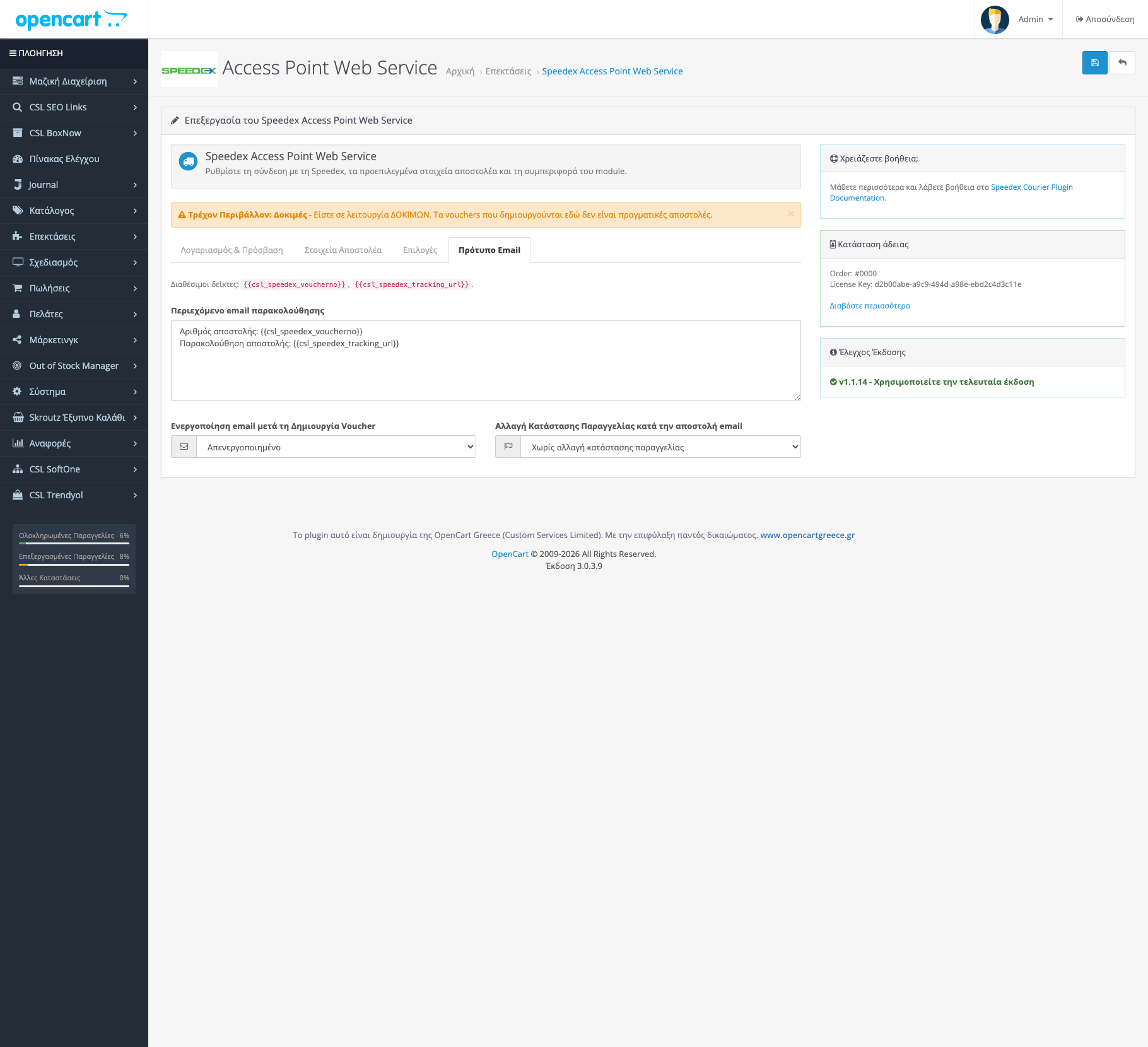
Flexible settings: Speedex account, sender details, geo zones, debug logging, and email templates.
Geo zones: restrict Speedex availability to specific shipping zones.
Installation health checks: automatic schema and settings checks with an admin alert when something needs repair.
Order-list actions: create and manage vouchers without opening each order.
OpenCart Greece Support: Direct technical support from our specialized team.
Benefits from using Speedex Access Point Web Service
Time Saving: Majorly reduce your shipment management time.
Decrease Errors: Minimize errors when entering upload data.
Flexibility for Customers: You offer selection of receiving points for greater satisfaction.
Increased Profitability: Release resources for other important tasks.
Best Customer Service: Provide immediate and accurate information on the shipments.
Simplification of Procedures: Unify shipment management on a platform.
OpenCart Compatibility
The Speedex Access Point Web Service for OpenCart is designed to be compatible with OpenCart 3.x versions. For other publications or special requirements, please
Get Speedex Access Point Web Service for OpenCart
Optimize your shipments with Speedex immediately! Buy the plugin from our e-shop at once cost 39.99 euros.
For any question about Speedex Access Point Web Service, do not hesitate to contact
Speedex Access Point Web Service Screenshots
Frequently Asked Questions for Speedex Access Point Web Service
How are shipment vouchers created with Speedex?
Vouchers are automatically created via OpenCart, drawing the data from each order and connecting to Speedex's API.
How is it that Speedex shipments are being monitored?
The plugin receives the tracking number and updates the order, allowing customers to be informed with detailed information.
Can customers choose a pickup point?
Yes, the plugin supports the Access Points option when completing the order, giving flexibility to your customers.
Is it compatible with the latest OpenCart version?
The plugin is compatible with OpenCart 3.x. For other publications, contact us.
What support is provided for Speedex plugin?
We provide full technical support for installing, customizing and using the plugin.
Can I limit Speedex to specific areas?
Yes. By setting a geo zone on the shipping method, Speedex appears only to customers inside that zone.
What does the installation health check show?
The check confirms that the required schema and settings exist; if something is missing, an admin alert explains how to repair it.
What are the MAIN and MAIL agreement codes?
They are the agreement codes sent to Speedex for shipments through the main or mail service. Additional agreements can be stored as custom agreements with a name and code.
How do I define the sender on the voucher?
Sender Details holds the city and postcode, and an optional custom sender adds the address, phone, and postcode printed on the voucher. Use the details registered with Speedex.
How do I configure the tracking email?
The Tracking email template defines the content sent with the tracking number. Keep valid placeholders and test it with an order before enabling it in production.
Ready to integrate Speedex into your OpenCart?
Install Speedex Access Point Web Service and automate the creation of voucher and monitor your shipments with the extensive network of pickup points.