Catalog
Products, pricing, and stock
Synchronize catalog data without maintaining the same information manually in both OpenCart and SoftOne.



OpenCart + SoftOne ERP
SoftOne Connector for OpenCart keeps catalog, orders, and customers in a controlled flow between your store and ERP, with mappings, logs, scheduled syncs, and support from OpenCart Greece.
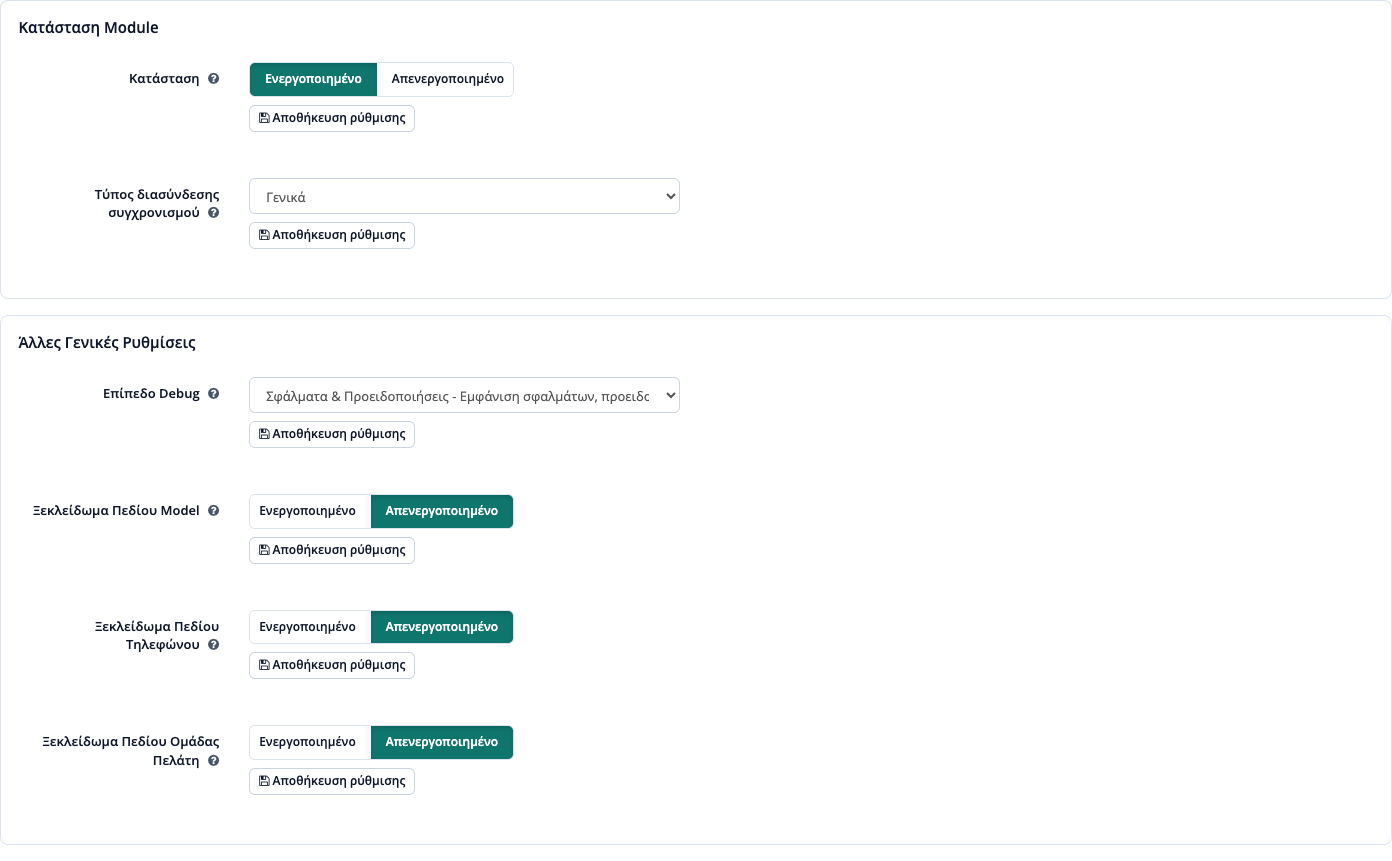
Catalog
Synchronize catalog data without maintaining the same information manually in both OpenCart and SoftOne.
Orders
Orders move into SoftOne while the operations team keeps visibility over status flows from a controlled workflow.
Control
See what is running, what failed, and where intervention is needed without guessing your way through the integration.
What it solves
SoftOne Connector is not a simple export or import helper. It is an operational bridge for teams that work in OpenCart and SoftOne every day and need a stable data flow.
The plugin follows a practical model: keep SoftOne and OpenCart aligned without duplicating the same information in two places. That reduces delays, manual mistakes, and the workload on the team that manages catalog, stock, and orders.
From the admin area you can define mappings, sync scope, timing, and diagnostic controls so the integration remains manageable even when data volume or workflow complexity changes.
Your team works inside one clear admin flow and spends time only on exceptions or business decisions, not on repetitive manual entries.
Integration flow
The connector is designed to keep the right data in the right system while giving you visibility into the layer in between.
Step 1
Set which data points should be pulled through OpenCart and which remain authoritative in SoftOne so catalog conflicts are avoided.
Step 2
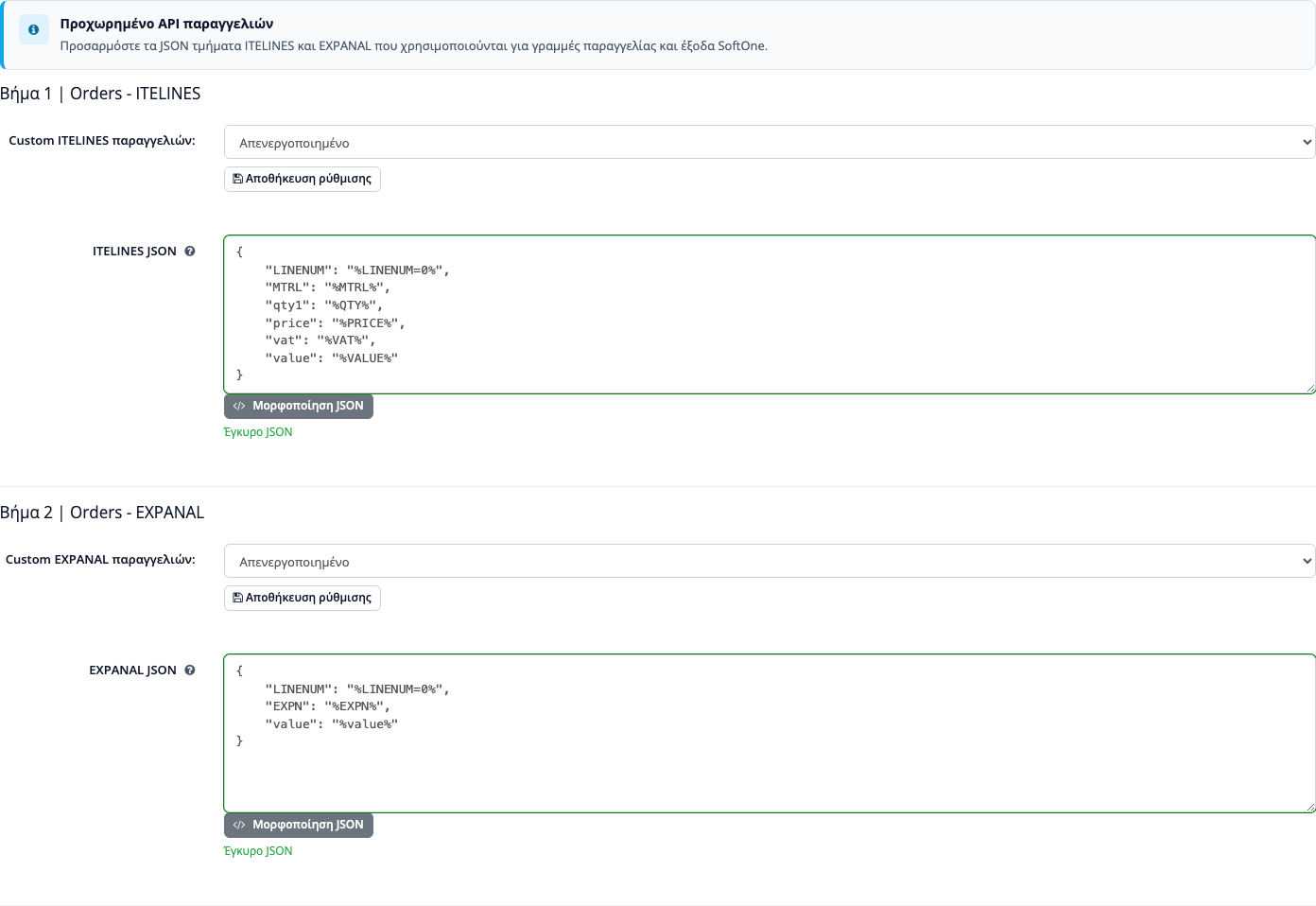
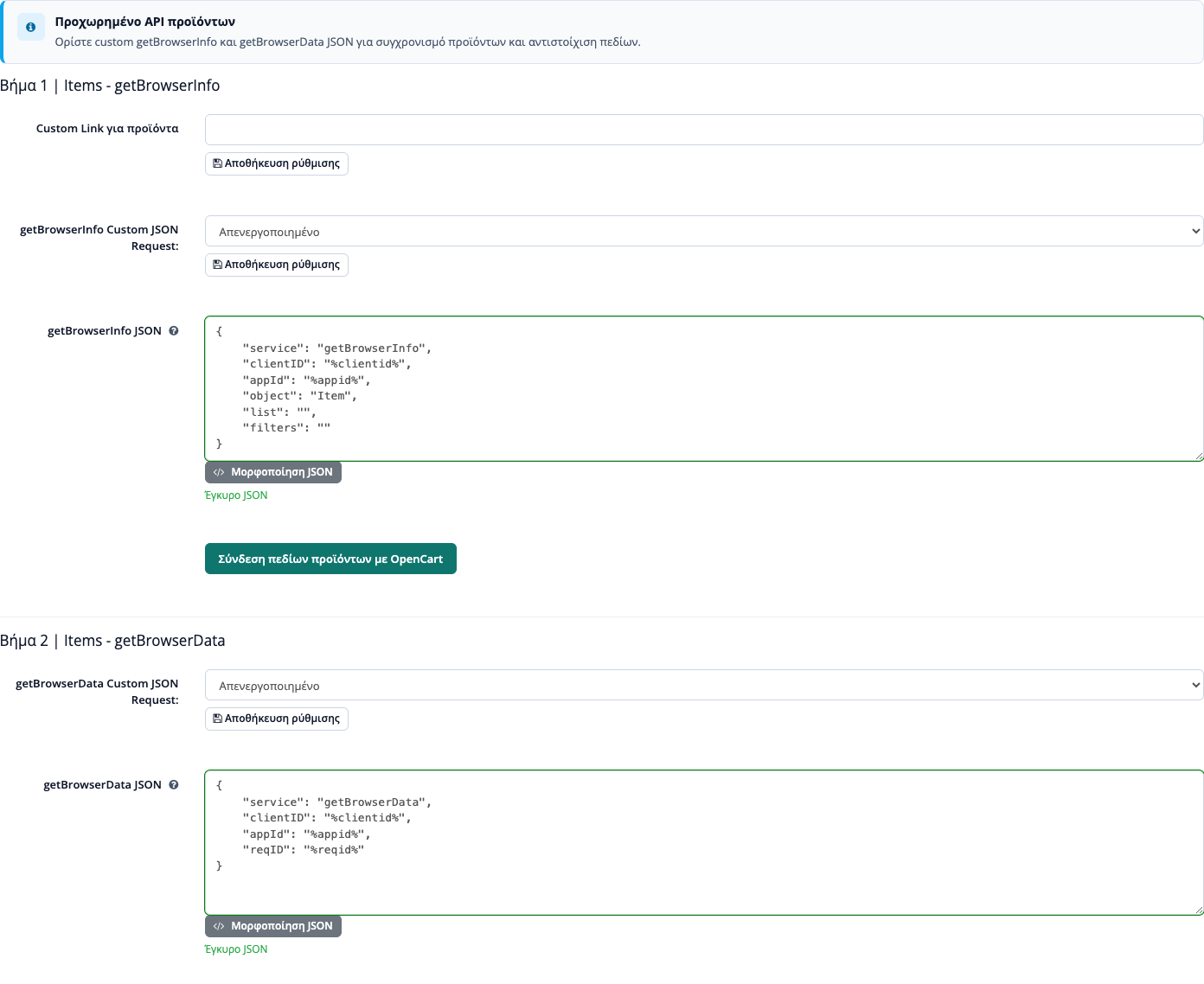
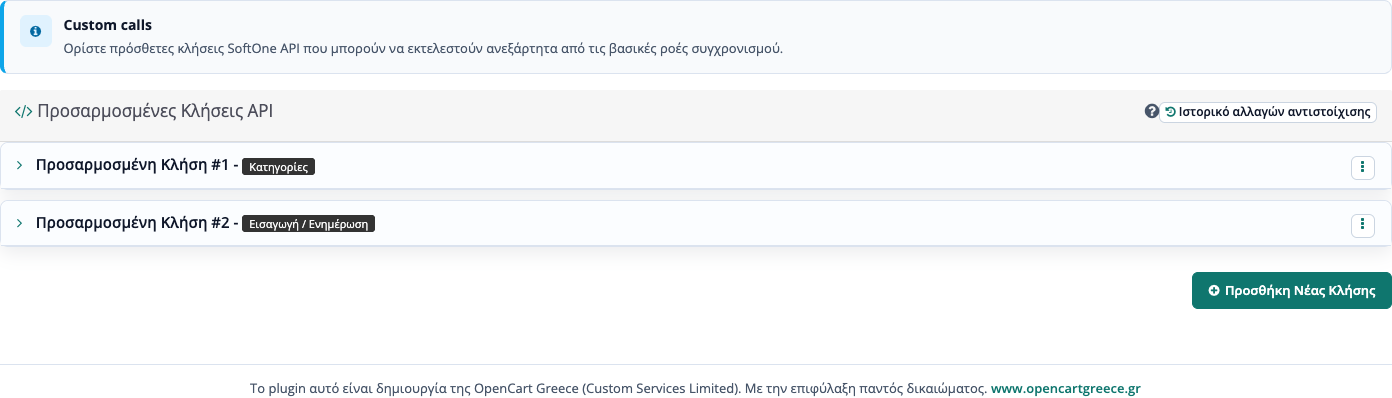
The plugin supports custom field mapping, scope control, and synchronization rules per store or per operational use case.
Step 3
Logs, callbacks, and scheduled tasks show where each flow stands so you rerun only what actually needs attention.
Capabilities
If the page needs to explain why this plugin is worth using, the answer is that it goes beyond basic synchronization.
Catalog sync
Products, categories, prices, and stock move across systems through a more stable flow than manual import and export work.
Orders
Order flows into SoftOne and consistent customer data handling stay concentrated inside the admin workflow.
Diagnostics
Detailed logs and execution traces help you find mapping issues or failed sync jobs faster.
Extensibility
If you need special data mappings, multi-store handling, or custom functions, the plugin provides a solid base for extension.
Daily operation
Installation is only the beginning. The real requirement is being able to run the integration when the catalog changes, orders scale up, or exceptions appear.
The team does not have to guess which record passed and which did not. It gets visibility into the sync flows and a clear control point.
When something breaks, logs and traces show where intervention is needed without endless trial and error.
The connector can adapt to newer versions, custom mappings, or new business requirements as they appear.
Compatibility
The plugin is built for production environments where OpenCart must work properly with SoftOne ERP rather than exchange isolated pieces of data.
It supports OpenCart 3.x.x, integrates with the SoftOne API, and is designed for Greek businesses that need secure synchronization of products, orders, and customers. If you work with a different version or a special operational model, we can evaluate a custom adaptation.
If you want to discuss migration, custom mappings, or special installation requirements, contact our team.
ERP workflow
A SoftOne to OpenCart integration should start with clear mapping for products, customers, prices, stock, orders, and documents. If those rules are not agreed early, ERP sync creates small mismatches that surface in checkout, warehouse work, and accounting.
We check which data is mastered in SoftOne and which data is mastered in OpenCart, how often each flow should sync, and which failures should be logged for quick troubleshooting.
FAQ
No. The setup is structured so it can be completed quickly, and we provide documentation plus support for the connector configuration.
Yes. The plugin can cover two-way flows for products, prices, stock, orders, and customer data depending on the setup you define.
Orders are transferred through the plugin's integration flow, and their progress can be monitored with status updates so the operational picture stays clear.
Yes. A working OpenCart 3.x.x installation and active access to the SoftOne API are required for the integration to operate correctly.
The plugin keeps evolving, detects new available versions, and stays aligned with the workflows we officially support.
Yes. If you need specialized field mapping, different data flows, or adjustments for your own operational model, we can extend the plugin accordingly.
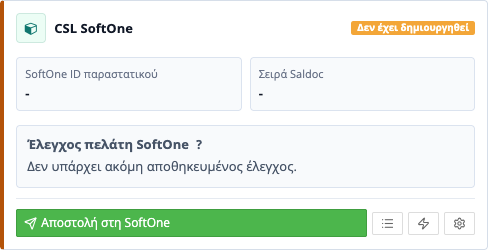
After customer creation, the plugin verifies the stored fields and shows a warning in the order widget when something does not match, while code collisions are retried automatically.
Yes. Customer creation settings are saved per store (multistore) with quick save from the settings page.
Admin views
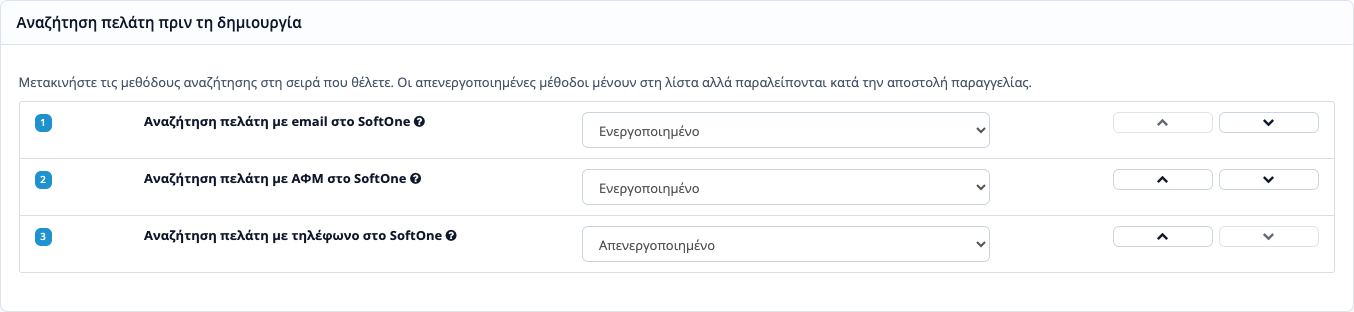
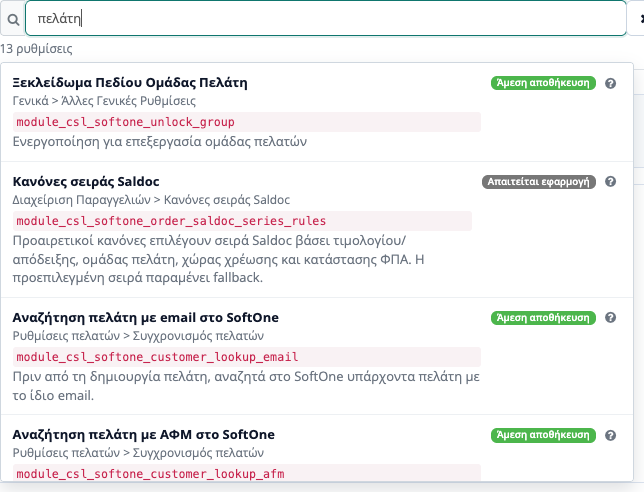
The images below show the actual admin surface of the connector so you can inspect how settings, mappings, search, and order handling are organized.
Zoom image 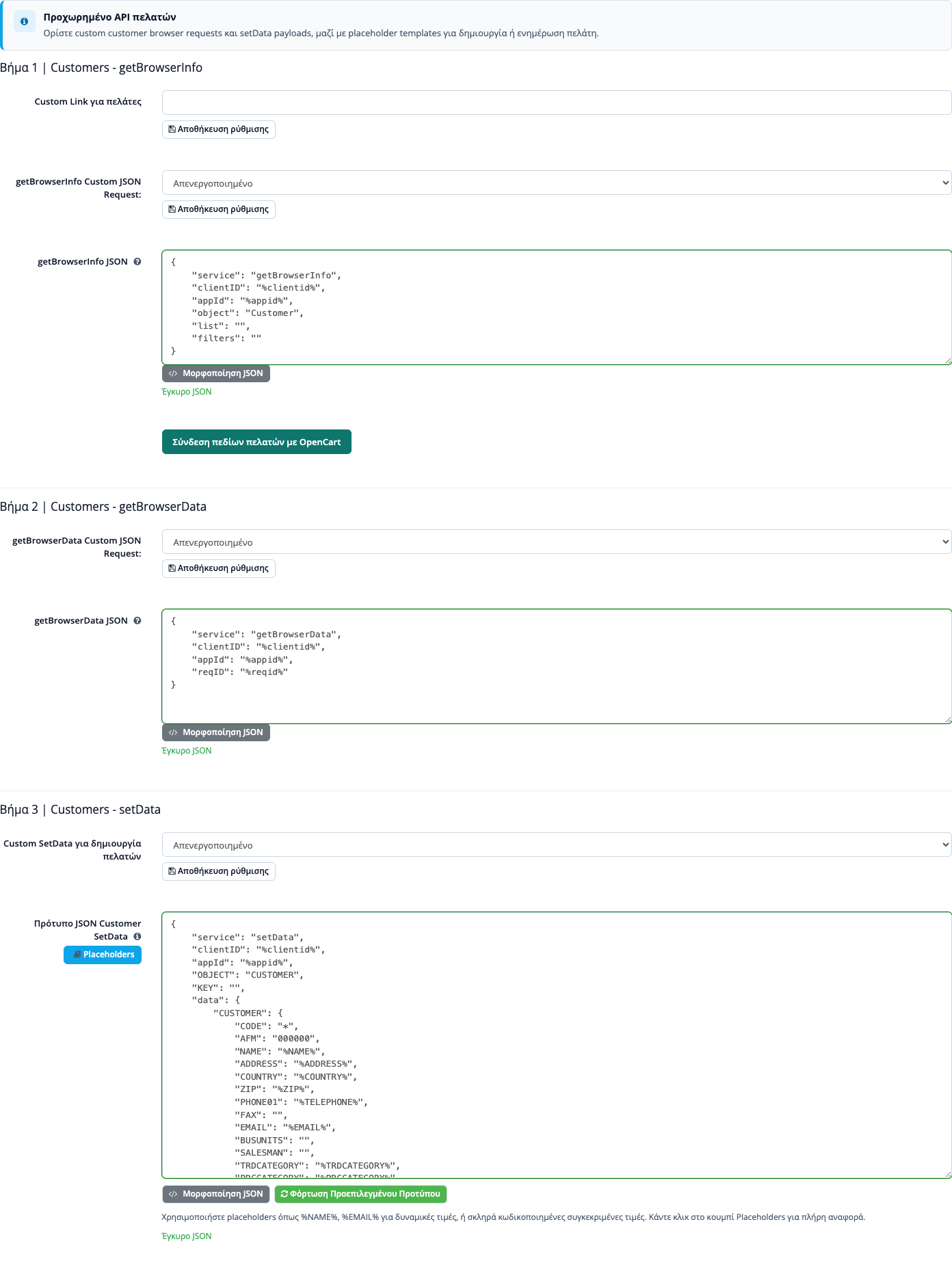 Zoom image
  Zoom image
  Zoom image
  Zoom image
  Zoom image
  Zoom image
  Zoom image
 Ready for the next step
Start with the free 15-day trial to validate the workflow across OpenCart and SoftOne. If it fits your business, move to the full version without changing your setup.